
Download Kong AI – AI‑business subscription tool, secure & easy integration
Overview of Kong AI
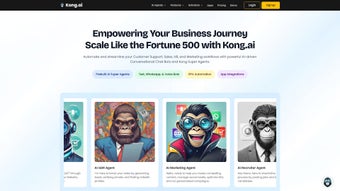
Kong AI is a subscription‑based web application designed for businesses that want to embed artificial intelligence capabilities directly into their online workflows. Launched on Softonic on 9 April 2025, Kong AI positions itself in the rapidly growing “AI business” category, offering a cloud‑hosted platform that can be accessed from any modern browser. The service promises a secure, scalable environment where teams can create, train, and deploy AI models without the need for on‑premises hardware or deep‑learning expertise.
Because it runs entirely in the browser, Kong AI eliminates the typical installation hurdles associated with traditional AI toolkits, making it an attractive option for small‑to‑medium enterprises (SMEs) looking to experiment with machine‑learning driven features such as predictive analytics, natural‑language processing, and image recognition. The platform’s subscription model includes tiered pricing, allowing organizations to start with a free trial and upgrade as their usage expands. While we have not yet performed a hands‑on test, the application’s compatibility with major browsers—Internet Explorer, Firefox, Opera, Safari, and Chrome—suggests a broad reach across Windows, macOS, and Linux environments.
Kong AI also integrates with popular SaaS ecosystems like Slack, Zapier, and Microsoft Teams, enabling automated AI‑powered alerts and workflows without custom code. Overall, Kong AI aims to democratize AI for business users, delivering a user‑friendly interface, robust security controls, and continuous updates delivered via the cloud. In addition to its core AI capabilities, the platform provides built‑in analytics that help businesses track model performance over time, giving decision‑makers the confidence to rely on AI outputs for critical processes.
This combination of accessibility, security, and ongoing improvement makes Kong AI a compelling choice for organizations seeking a low‑maintenance, high‑impact AI solution.
Key Features & Benefits
- Browser‑based AI Builder: Drag‑and‑drop model creation tools that work directly in Chrome, Firefox, Safari, Opera, and even legacy Internet Explorer.
- Pre‑trained Model Library: Access a catalog of ready‑to‑use models for sentiment analysis, churn prediction, OCR, and more, reducing time‑to‑value.
- Secure Data Handling: End‑to‑end encryption in transit and at rest, with GDPR‑compliant data residency options.
- Scalable Cloud Infrastructure: Automatic scaling based on usage, so you never have to worry about server capacity.
- Integration Hub: Native connectors for Slack, Zapier, Microsoft Teams, HubSpot, and custom webhook support.
- Real‑time Monitoring Dashboard: Track model performance, usage metrics, and cost analytics in a single view.
- Version Control & Collaboration: Team members can work on the same project simultaneously, with role‑based permissions.
- Continuous Updates: Monthly feature releases and security patches are applied automatically, keeping the platform up‑to‑date.
Why These Features Matter for Your Business
The browser‑based AI builder eliminates the steep learning curve traditionally associated with data science platforms. Business analysts can prototype models in minutes, while developers can fine‑tune them using the same interface. Pre‑trained models act as a shortcut, allowing teams to embed sophisticated AI functions without collecting massive datasets.
Security is a top priority; with end‑to‑end encryption and compliance certifications, companies can trust that sensitive information stays protected. The scalable cloud backend ensures that spikes in traffic—such as a sudden surge in e‑commerce orders—are handled seamlessly, preventing downtime or degraded performance. Integration hubs mean that AI insights can be pushed directly to the tools employees already use, turning raw predictions into actionable alerts.
Real‑time monitoring provides transparency, enabling data‑driven decision‑making and cost control. Built‑in version control and collaboration features foster cross‑functional teamwork, making AI a shared asset rather than a siloed specialty. Moreover, the continuous update schedule guarantees that you benefit from the latest algorithmic improvements without manual patches.
In short, Kong AI’s feature set is crafted to accelerate AI adoption while minimizing risk and overhead, giving businesses a competitive edge in a data‑centric market.
Installation, Usage & Compatibility
Step‑by‑Step Installation Guide
Because Kong AI is a pure web application, there is no traditional installation process. Users simply need to create an account on the Kong AI portal, choose a subscription tier, and log in through their preferred browser. The onboarding wizard walks new users through the following steps:
- Account Creation: Visit kong.ai/signup and enter your business email. Verify the address via the confirmation link.
- Select a Plan: Start with the free trial (30‑day, limited compute) or choose a paid tier that matches your expected usage.
- Secure Your Workspace: Configure two‑factor authentication (2FA) and set role‑based access controls for team members.
- Connect Data Sources: Use the Integration Hub to link cloud storage (AWS S3, Google Cloud), databases (PostgreSQL, MySQL), or SaaS tools (HubSpot, Salesforce).
- Launch the AI Builder: Open the dashboard, select “Create New Project,” and start dragging components onto the canvas.
Each step includes inline help tips and short video walkthroughs, so even users with limited technical background can complete the setup in under ten minutes. After the initial configuration, the platform automatically provisions the necessary compute resources in the background, meaning you never have to manually spin up virtual machines or install libraries.
Daily Usage Workflow
Once the environment is ready, a typical day might look like this: a product manager uploads a CSV of recent sales data, a data analyst selects a pre‑trained churn model, and the AI engine returns a list of at‑risk customers with confidence scores. The analyst then sets up an automated workflow that sends a Slack message to the sales team whenever a high‑risk customer is identified. All of this happens within the browser, with no need to download libraries or manage servers. The platform’s “Save & Publish” button creates a versioned API endpoint that other internal apps can call, enabling real‑time AI integration across the organization. For more advanced users, Kong AI offers a low‑code scripting pane where Python‑style expressions can be written to customize feature engineering steps, bridging the gap between no‑code convenience and code‑level flexibility.
Compatibility & System Requirements
Kong AI is designed to be universally accessible across desktop and mobile browsers. Officially supported browsers include:
- Google Chrome (latest two versions)
- Mozilla Firefox (latest two versions)
- Microsoft Edge (Chromium‑based)
- Apple Safari (macOS & iOS, latest two versions)
- Opera (latest two versions)
- Internet Explorer 11 (limited features; recommended to upgrade)
Because the application runs in the cloud, there are no heavy CPU or GPU requirements on the client side. A stable internet connection (minimum 5 Mbps) and a modern browser with JavaScript enabled are sufficient. For enterprises with strict network policies, Kong AI offers VPN‑compatible endpoints and can be whitelisted via IP ranges provided in the admin console. Mobile users on iOS or Android can also access the full feature set through Safari or Chrome, making it easy for field teams to retrieve predictions on the go.
Pros, Cons & Frequently Asked Questions
Pros
- Zero‑install, browser‑only access reduces IT overhead.
- Extensive library of pre‑trained models accelerates time‑to‑value.
- Robust security (encryption, 2FA, GDPR compliance).
- Scalable cloud infrastructure eliminates capacity planning.
- Seamless integration with popular SaaS tools via native connectors.
- Real‑time monitoring and cost analytics for transparent budgeting.
- Collaboration features enable cross‑team AI projects.
- Monthly updates keep the platform current without manual effort.
Cons
- Reliance on internet connectivity; offline work is not possible.
- Limited feature set for legacy browsers (IE 11 lacks some AI visualizations).
- Advanced custom model development may still require external Python/R environments.
- Pricing can become steep for high‑volume compute usage beyond the free tier.
- Low‑code scripting pane has a learning curve for non‑technical users.
Frequently Asked Questions
Is there a free version of Kong AI?
Yes, Kong AI offers a 30‑day free trial with limited compute resources. The trial includes access to all core features, allowing you to evaluate the platform before committing to a paid plan.
Can I host Kong AI on my own servers?
Currently, Kong AI is offered only as a cloud‑hosted SaaS solution. This model ensures automatic updates, security patches, and scalability without the need for on‑premises maintenance.
How does Kong AI handle data privacy?
All data transmitted to Kong AI is encrypted using TLS 1.3, and data at rest is stored with AES‑256 encryption. The platform complies with GDPR, CCPA, and offers data residency options in the EU, US, and APAC regions.
What kind of support is available?
Kong AI provides 24/7 email support for all paid plans, a live chat widget for enterprise customers, and a comprehensive knowledge base with tutorials, API docs, and community forums.
Can I integrate Kong AI with my existing CI/CD pipeline?
Yes. Kong AI exposes RESTful API endpoints for model deployment, which can be called from CI/CD tools such as Jenkins, GitHub Actions, or GitLab CI to automate model updates as part of your development workflow.
Is there a mobile app for Kong AI?
There is no native mobile app, but the web platform is fully responsive and works on iOS Safari and Android Chrome, allowing you to monitor models and receive alerts on the go.
Review Summary: Kong AI delivers a compelling, browser‑only AI platform that lowers the barrier for businesses to experiment with machine learning. While it shines in ease of use and integration, power users may still need external tools for highly custom models.
Conclusion & Call to Action
Kong AI stands out as a modern, subscription‑based solution that brings AI capabilities to the fingertips of business users across any device with a supported browser. Its zero‑install approach, robust security, and extensive integration ecosystem make it a practical choice for organizations eager to infuse intelligence into their processes without the heavy lift of traditional data‑science infrastructure. Although the reliance on internet connectivity and the cost escalation for high‑volume workloads are considerations, the overall value proposition—especially for teams that prioritize speed and collaboration—remains strong. If you’re looking for a secure, constantly updated AI tool that works on Windows, macOS, Linux, and even mobile browsers, Kong AI is worth a trial. Start your free 30‑day trial today, explore the pre‑trained model library, and see how AI can transform your business operations.






